
Helper Helper
Helper HelperEvents
4.423.00 Reviews
- Version
- 13.4
- Installs
- 50.00K
- Age Rating
- Everyone
Screenshots
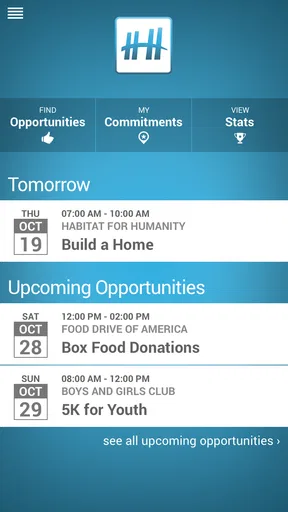
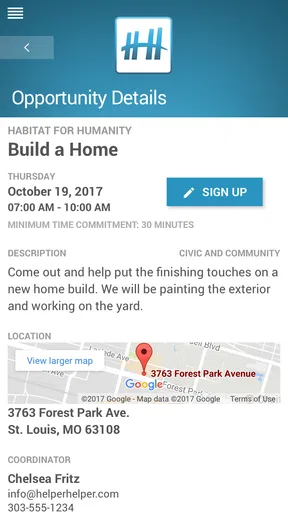
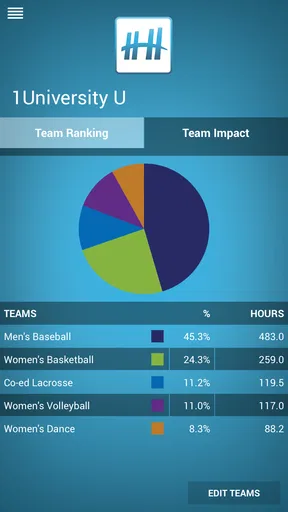
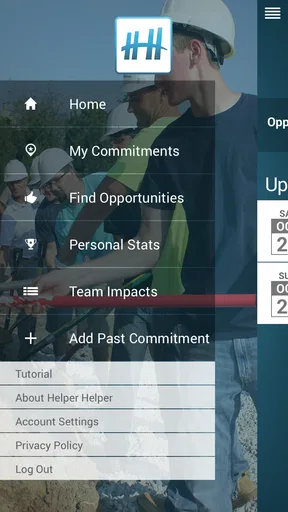
Our Review of Helper Helper
 Analysis by Appyee
I approached Helper Helper as someone looking for a practical way to find and organize volunteering rather than another social app to browse. Its purpose is straightforward: connect people with meaningful opportunities in their local community. That focus makes it appealing, but it also means the experience depends heavily on the quality and freshness of the opportunities available through the organizations using it.
Developed by Helper Helper, this free Events app is aimed at volunteers who want a clearer path from “I should help out” to actually choosing an activity. It has been available since January 28, 2014, and its current version is 13.4. The app is rated for Everyone, while the device requirement is Android 5.0 or later. Those details make it accessible to a broad range of users, including people using older compatible phones.
Its public reception is encouraging without being overwhelming: it holds a 4.4 average from around 257 ratings, with roughly 23 written reviews, and has passed 50 thousand installs. I would read that as a sign that the app has found a real audience, not as proof that every local experience will be equally polished. Volunteer platforms are especially dependent on local participation, so the useful question is not simply whether the app is popular, but whether it gives me enough control to make a responsible choice.
How Helper Helper Builds Trust Around Volunteering
I see trust as something built through small decisions, not just a polished listing: understanding who is organizing an opportunity, what the commitment involves, and how to ask questions before showing up. In this section, I’ll look at how Helper Helper fits into that decision-making process and why I still treat the organizer as the final source for important details. That distinction matters most when an event involves unfamiliar people, locations, or responsibilities.
A focused starting point instead of a general social feed
The first strength I notice is the narrow purpose. Helper Helper is not trying to be a broad community network, a fundraising portal, or a general events calendar. Its role is to help volunteers discover experiences where their time can be useful. That narrower identity makes the app easier to judge: I can ask whether it helps me understand an opportunity, decide whether I can commit, and keep track of what I selected.
That focus is valuable because volunteering often fails at the planning stage. A person may want to help but not know which organizations need support, what kind of activity suits their schedule, or how to move from interest to attendance. A dedicated volunteer app can reduce that initial friction by bringing opportunities into one place instead of making me search across unrelated websites, social posts, and email announcements.
At the same time, I would not treat the app as a universal directory of every charitable activity nearby. Its usefulness is tied to the communities and organizations represented inside it. If the local listings are limited, the app cannot create opportunities that are not present. In that situation, a nonprofit’s own website or a regional volunteer network may offer a wider selection.
What I would check before committing
My preferred workflow is to browse first and commit later. I would look for the organization behind an activity, the kind of help requested, the expected time commitment, and any practical conditions that affect attendance. The important trust decision happens before pressing a sign-up or participation control: I need to know whether the opportunity fits my abilities, transport options, schedule, and comfort level.
This is one of the less obvious benefits of using a dedicated platform. It encourages me to treat volunteering as a commitment rather than a casual tap. A polished event title can make an activity sound appealing, but the real test is whether the details let me picture the day clearly. If a listing leaves me unsure about where to go, whom to contact, or what I will actually do, I would pause and seek clarification rather than assume.
For new volunteers, that habit matters even more. The app may make discovery easier, but it does not replace ordinary judgment. I would still verify the organization and read the event information carefully, particularly when the activity involves children, vulnerable people, physical work, transportation, or access to private locations.
Using it in an ordinary week
Imagine I have a free Saturday morning but do not want to make a long-term commitment. I could open Helper Helper, review available community activities, and compare the practical demands rather than searching randomly online. A short, clearly described event might be a better first step than signing up for an ongoing role I cannot maintain.
After choosing an opportunity, I would put the time and location into my normal calendar as well. That small extra step is useful because a volunteer platform should be the place where I discover or manage the opportunity, not necessarily the only reminder system I rely on. If the activity changes, I would look for the relevant update or contact route inside the listing and keep a record of any confirmation.
This workflow also highlights a trade-off. Helper Helper can make the first decision simpler, but personal organization still matters. I would not assume that browsing an event equals a confirmed place, or that selecting an activity automatically handles every reminder and logistical detail. Treating the app as one part of the process keeps expectations realistic.
Verified controls matter more than attractive design
When I evaluate an app connected to real-world participation, I pay attention to visible choices. I want to know what happens when I create or use an account, what information is requested, and whether I can change my participation decision without confusion. I also want clear separation between browsing opportunities and making a commitment.
Those are the controls I would actively inspect in Helper Helper rather than accepting a smooth interface as evidence of good privacy practice. An app can be easy to use and still require careful review of account settings. The safest approach is to provide only information that is necessary for the volunteering workflow, read each permission prompt in context, and avoid granting access simply because the app asks for it.
I would also check the device’s permission manager after installation. That is a practical way to review access choices independently of the app’s own screens. If a permission does not make sense for the action I am trying to perform, I would leave it disabled and see whether the core browsing experience still works. This is not a criticism of Helper Helper specifically; it is a sensible habit for any app that may connect digital identity with physical attendance.
Account decisions and participation history
Volunteer records can become personally meaningful. They may reflect causes I care about, places I visit, or groups with which I have an ongoing relationship. For that reason, I would pay attention to account controls and any visible options for editing personal details, changing participation status, or leaving an activity.
A useful practical test is to ask: can I correct a mistake without creating a second account, and can I stop participating without having to keep receiving information I no longer need? If the app presents those choices clearly, it gives me more confidence. If the route is difficult to find, I would contact the relevant organization before assuming that uninstalling the app cancels a commitment.
Uninstalling an app and closing an account are not automatically the same action. I would treat them separately and look for an in-app account option or a support route if I wanted to remove my profile or change how I participate. That distinction is easy to overlook, yet it is one of the most important pieces of user agency in a service built around real events.
Data-sensitive moments deserve extra care
The most sensitive moments are not necessarily the opening screen. They are the points where I identify myself, join an event, communicate with an organization, or reveal information that could affect my safety. I would slow down at those stages and read the wording around each request instead of tapping through automatically.
For example, I would avoid entering unnecessary personal details into a volunteer profile. If an event requires information for coordination or safety, I would consider whether the request is proportionate to that purpose. I would also be cautious about sharing private contact details in open notes or messages when a designated organizational contact method is available.
Location deserves the same careful treatment. A volunteer app may be more useful when I can find nearby opportunities, but I would prefer a clear, limited choice over continuous access. If I only need to search by area occasionally, I would use the least extensive location setting that supports that task, or search by a general place manually when possible.
Notifications can reveal more than expected on a locked screen. If Helper Helper sends reminders or event updates, I would review notification previews and decide whether detailed text should appear publicly. That is a small phone setting, but it can protect the privacy of the organization, the event, and my own participation.
How it compares with familiar alternatives
The usual alternative is a web search followed by several nonprofit websites. That approach can expose more background about each organization, but it is fragmented. I may have to compare different calendars, registration forms, and contact methods. Helper Helper’s advantage is the possibility of a more consistent discovery path for participating communities.
Another alternative is a general events app or social network. Those services may provide more discussion and broader local coverage, but volunteering can become mixed with entertainment, promotion, and unrelated activity. A purpose-built volunteer tool is easier to use when my goal is specifically to find a meaningful way to contribute.
There is also the direct relationship with one organization. If I already know where I want to volunteer, the organization’s own site or coordinator may be better because it can provide the most complete instructions and personal context. In that case, Helper Helper is more useful as a discovery or coordination layer than as a replacement for the organization itself.
My trade-off summary is simple: use Helper Helper when you need structured discovery across participating opportunities; use a nonprofit’s own channel when you need detailed background, specialized instructions, or a direct answer from staff. Neither route is automatically superior in every situation.
Who will get the most from it
I think the app is a strong fit for people who want to volunteer but need help turning a general intention into a specific activity. It should also suit users who prefer browsing several possibilities before choosing, families or groups looking for organized community involvement, and experienced volunteers who want a central place to review opportunities.
It may be especially helpful for someone trying to volunteer for the first time. Instead of beginning with a blank search box, that person can start from an events-oriented service and think about practical fit: one-off help, recurring involvement, indoor or outdoor work, and the level of responsibility involved. Even when the app does not answer every question, it can make the first conversation with an organization more focused.
I would be more cautious if I needed highly specialized placements, formal professional credentials, or a very broad national search. I would also look elsewhere if my local area has little activity in the app. A direct nonprofit contact, municipal volunteer office, or specialist organization may provide a better route in those cases.
Small habits that improve the experience
- Read the commitment details before selecting an event. I would confirm the time, place, role, and any stated requirements instead of judging an opportunity from its title alone.
- Keep a second reminder. Adding the event to my calendar protects me from relying on one notification channel and gives me a place to record travel time.
- Review permissions after setup. I would revisit the phone’s settings and keep only the access that matches how I actually use the app.
- Separate interest from confirmation. I would look for evidence that a place is reserved or that the organization has received my commitment before treating the activity as final.
- Ask before sharing sensitive details. When an event involves vulnerable people, private locations, or safety information, I would use the organization’s official contact route rather than posting personal information casually.
Where the friction may appear
The app’s central limitation is structural: a volunteer platform is only as useful as the opportunities and information available in the user’s area. Someone in a well-supported community may find it practical, while someone elsewhere may open it and discover fewer suitable choices. That variation is not something a clean interface can solve.
There is also a responsibility gap between software and organizers. Helper Helper can present an opportunity, but the organization remains the source of the event’s real-world details. I would therefore avoid assuming that an attractive listing guarantees a smooth experience. If instructions are vague or a date seems outdated, I would contact the organizer before traveling or making arrangements.
Users who dislike creating accounts or managing digital commitments may find the process more involved than simply calling a local charity. Conversely, people who already have a trusted organization and a reliable contact may gain little from adding another layer. The app earns its place when discovery, comparison, or coordination is the problem to solve.
My cautious verdict
I see Helper Helper as a useful bridge between wanting to volunteer and finding a concrete community activity. Its free access, Everyone rating, long availability, and compatibility with Android 5.0 or later make it approachable for many users. The 4.4 average and more than 50 thousand installs suggest that it has earned meaningful adoption, while the relatively modest review volume reminds me to judge it by local usefulness rather than reputation alone.
I would recommend trying it if you are open to volunteering but do not yet have a preferred organization. Start by browsing without overcommitting, inspect the event details, review account and permission choices, and confirm important arrangements directly when needed. That approach lets the app help with discovery while keeping the final decision in your hands.
I would skip it, or use it only alongside another source, if you need specialized placements, complete regional coverage, or detailed organizational information that only a nonprofit can provide. For everyone else, the main value is practical: it can shorten the distance between free time and meaningful action. My recommendation is positive, but deliberately careful: use it as a volunteer-finding tool, not as a substitute for checking who you are helping, what you are agreeing to, and how your personal information is handled.
Verdict
Strengths of Helper Helper
- Simple interface makes volunteering opportunities easy to browse.
- Tracks service hours and activities in one convenient place.
- Helps users discover local volunteer events and organizations.
- Useful for schools, teams, and workplaces managing group service.
- Push notifications can help users remember upcoming commitments.
Limitations of Helper Helper
- Availability of opportunities depends heavily on your location.
- Some listings may require approval or sign-up outside the app.
- Account setup can feel unnecessary for users browsing casually.
- Event details may vary in completeness between organizations.
- Notifications may become excessive if several groups are connected.
Similar Picks in This Category
View All
Easy Quran Mp3 Audio Offline
Muslim Worldapp4.7

Invitation Maker: Cards & RSVP
Greetings Island4.9

StubHub - Live Event Tickets
StubHub4.3

Fever: Events & Tickets
Fever Labs4.7

Epic Freebie Games Radar
Arioch Pds - Apps & Games4.4

Invitation card Maker, Design
Splendid App Maker4.9
Frequently Asked Questions
What is Helper Helper and what is it used for?
Helper Helper is a volunteer-management and community-engagement app designed to help organizations, schools, companies, and groups coordinate service opportunities. From the app, users can typically discover available volunteer activities, review event details, sign up for shifts, and keep track of their participation. Its usefulness depends on whether your organization has an active Helper Helper account and has published opportunities on the platform.
How do I create an account and join a volunteer opportunity?
After installing Helper Helper, you generally create an account using your email address and the information requested by the organization or community group you want to join. Once signed in, you may need to search for or select your organization before viewing opportunities. Open an event to check its date, location, requirements, and remaining spaces, then follow the registration instructions to reserve your place.
Is Helper Helper free to download and use?
Helper Helper is generally available as a free download for users on supported Android and iOS devices. However, the volunteer opportunities shown in the app are managed by individual organizations, and some activities may have their own eligibility rules, registration requirements, or costs unrelated to the application itself. Always read the event description carefully before confirming your participation.
What information or permissions does Helper Helper require?
The app may request personal details such as your name, email address, organization affiliation, and volunteer history so it can manage registrations and record service activity. Depending on the features enabled by your organization, it may also request notifications, calendar access, camera access for uploading images, or location-related permissions. Review the permission prompts and privacy policy before granting access.
Can I use Helper Helper without belonging to an organization?
Your ability to use Helper Helper independently may be limited because the platform is usually connected to a participating school, business, nonprofit, or community organization. You may be able to create an account, but access to events and reporting tools can depend on an invitation, organization code, or administrator approval. If your group is not listed, contact its coordinator to confirm how you should join.
